Van sales, pre sales and general visits
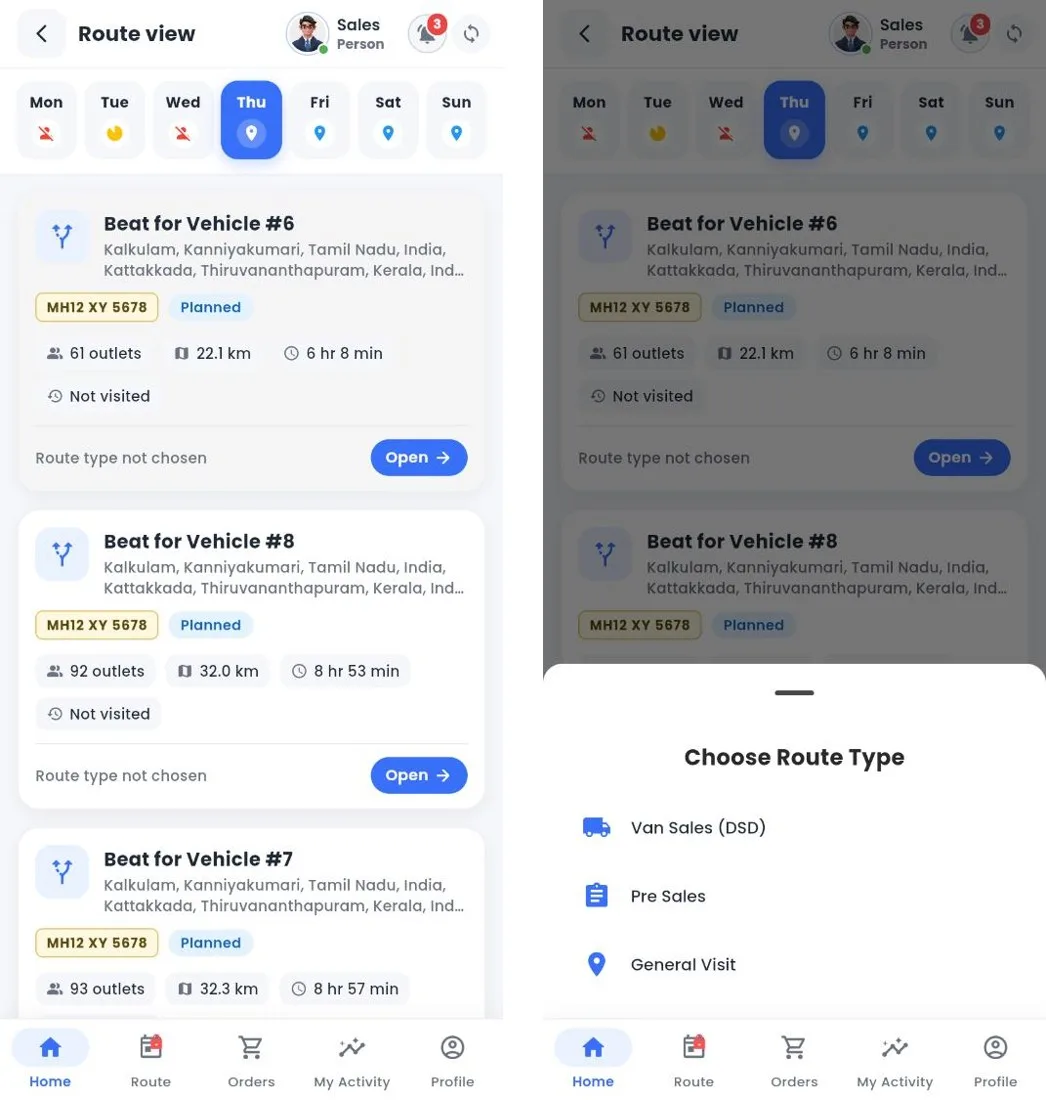
When a rep opens a beat, they choose the route type. It decides what the rep can do at each shop.
| Route type | The day looks like | Set up needed |
|---|---|---|
| Van Sales | The rep sells from the vehicle: takes the order, prints the invoice, hands over the goods and collects payment in one visit. Orders cannot exceed the stock on the van. | Truck loading in Nexus before the route starts; unloading at the end. |
| Pre Sales | The rep takes orders today. The depot confirms and invoices them, and a delivery route takes them out later. | Someone in the office confirms orders daily; delivery routes for drivers. |
| General Visit | Visits without selling: service, merchandising, relationship calls, prospecting or solving issues. | Survey and POSM set up if reps should run them. |
Delivery staff
Drivers on a delivery route see the confirmed and invoiced orders for their customers. They deliver in full or in part, print documents and can collect payment. Anything not delivered stays open for the next delivery.
Tip
Many companies run both: pre sales reps in towns where the depot is close, van sales in rural beats far from the depot.
Related guides: Route types · Truck loading and unloading · Delivering an order.
Still stuck?
Message our support team on WhatsApp in English, Tamil, Malayalam or Hindi.