Delivering an order
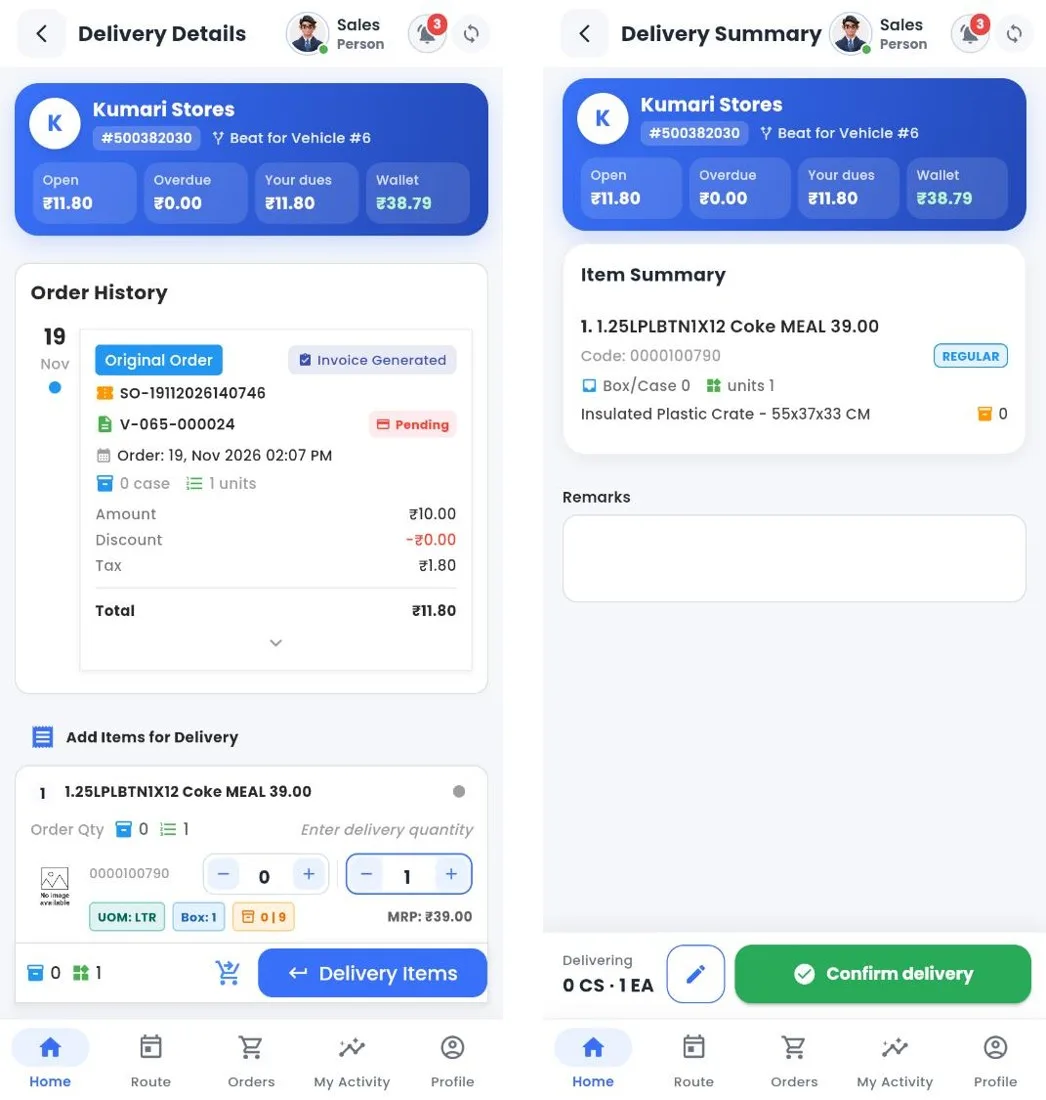
Delivery details and delivery summary
How to
- Open Delivery (or Complete Delivery after a van sale). The order card shows the order and invoice numbers, status and payment status.
- Under Add Items for Delivery, check or change the delivery quantity of each product.
- Tap Delivery Items. The summary shows the products and the crates going with them; add remarks.
- Tap Confirm delivery and Submit.
Note
If the customer takes less than ordered, the order is Partially Delivered and the rest stays open for a later delivery.
Still stuck?
Message our support team on WhatsApp in English, Tamil, Malayalam or Hindi.