Vehicle details and truck loading
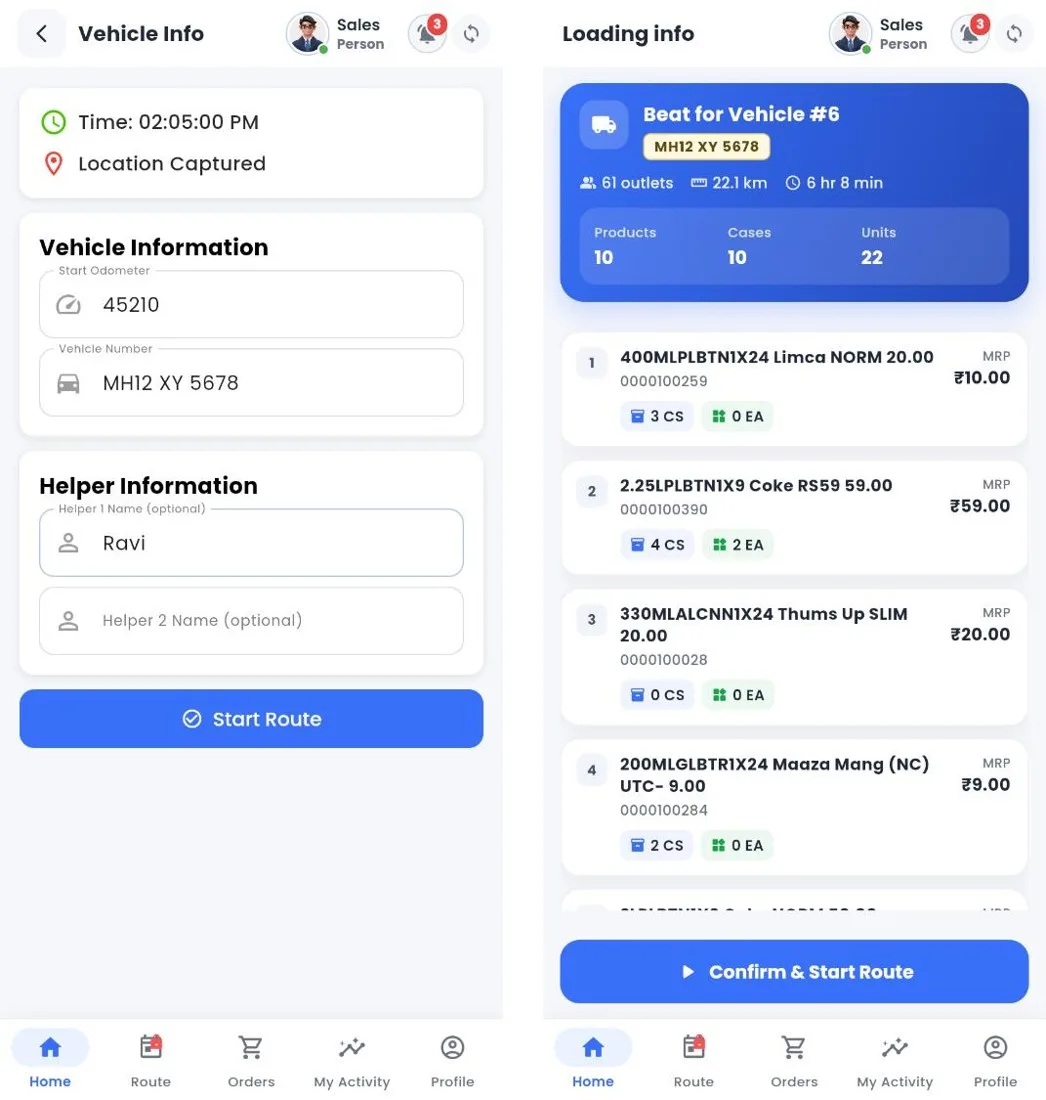
Vehicle info and loading info
How to
- Check Location Captured, enter the Start Odometer; the vehicle number comes from the route. Add up to two helpers.
- Tap Start Route. Loading info lists every product loaded on the truck in Nexus (cases and units, MRP), with the totals.
- Check it against the vehicle and tap Confirm & Start Route.
Still stuck?
Message our support team on WhatsApp in English, Tamil, Malayalam or Hindi.