Trade return
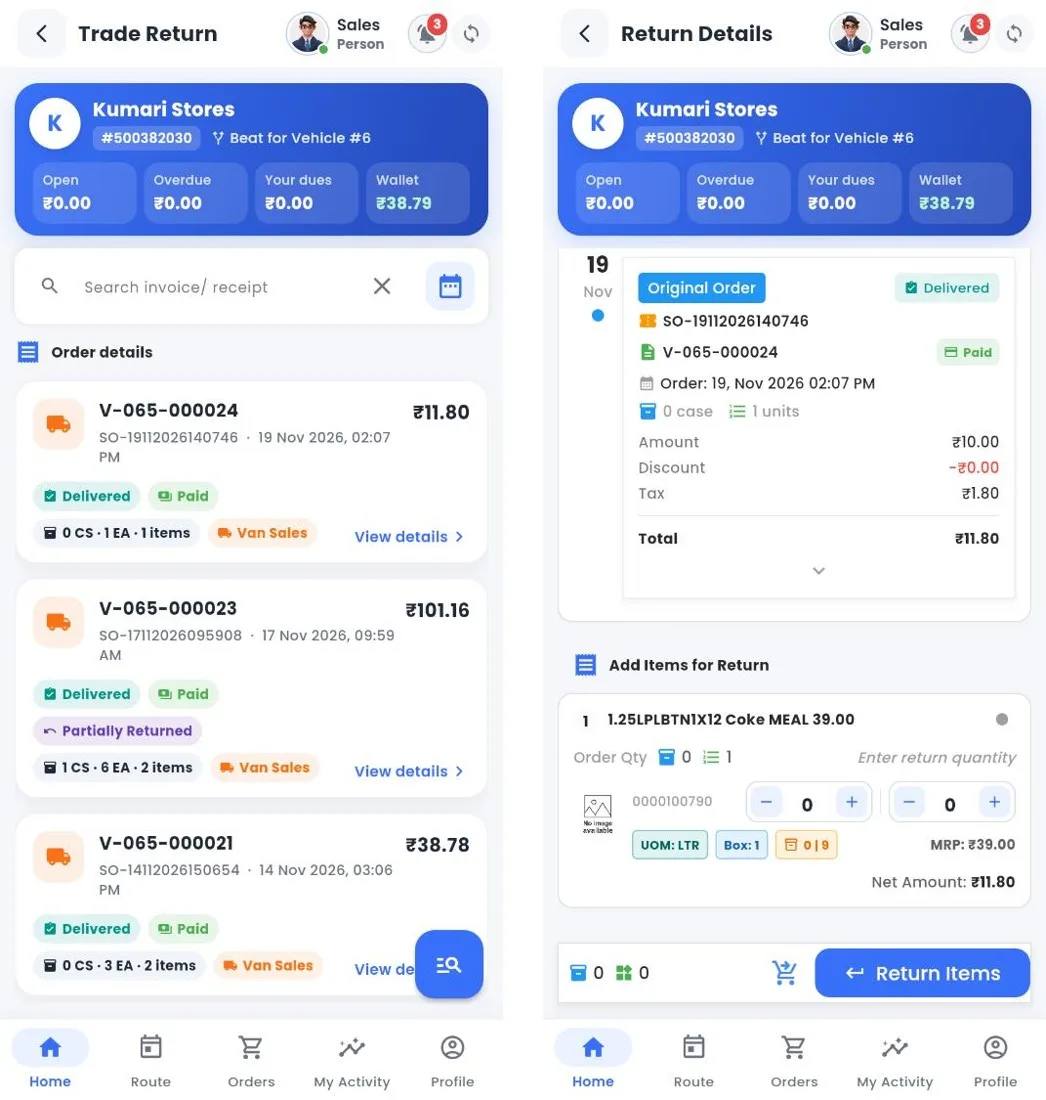
Trade return: invoices and return details
How to
- Open Trade Return and tap View details on the invoice the goods came from.
- Under Add Items for Return, enter the cases and units returned for each product.
- Tap Return Items, choose the reason, check the summary and confirm. The invoice shows Partially Returned or Returned.
Still stuck?
Message our support team on WhatsApp in English, Tamil, Malayalam or Hindi.