Store surveys: what they measure
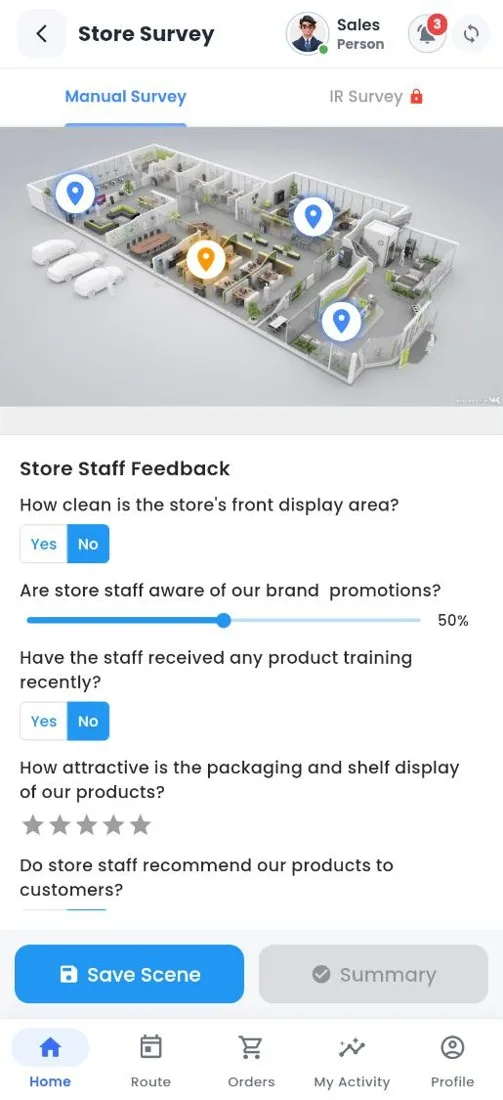
A store survey checks how your products look in the shop: are they on the shelf, in the right place, at the right price, with the right display? Each survey gives the store a score, so execution can be compared across shops, reps and months.
| Common survey | Questions it asks |
|---|---|
| Availability | Are the must have products on the shelf? |
| Visibility and planogram | Are products in the agreed place, facing out, with enough shelf share? |
| Cooler and display | Is the cooler clean, working, and stocked only with your products? |
| Price and promotion | Is the price marked? Is the scheme material up? |
A survey is built on a picture of the store layout. Each area of the store, such as the main shelf, the cooler or the counter, is a scene with its own questions. The rep walks the store scene by scene in the field app, then submits and sees the score.
Keep each scene to five or six questions. A survey a rep can finish in three minutes gets done in every visit; a long one gets skipped.
Related guides: Building a store survey · How the survey score is worked out · Store survey (field app).
Still stuck?
Message our support team on WhatsApp in English, Tamil, Malayalam or Hindi.