How Proxima counts sales, collections and profit
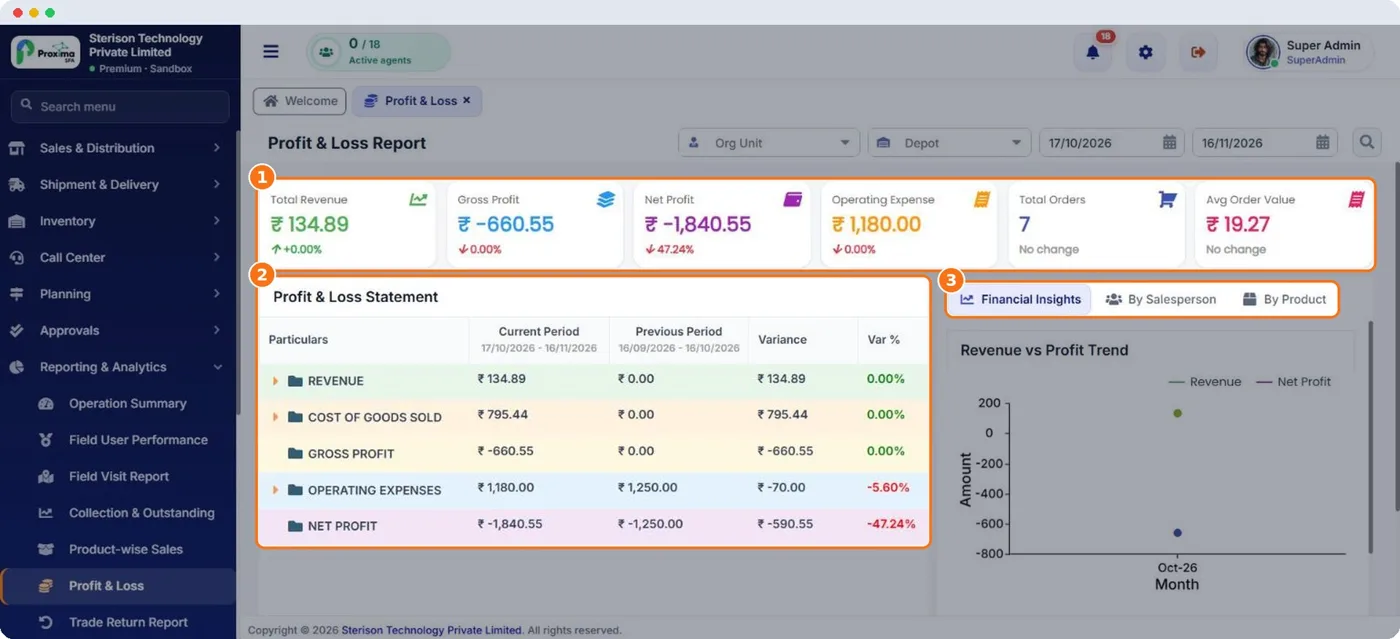
Every report, dashboard card and app screen follows one set of rules, so the web, Nexus, Command Center and the field app agree for the same rep and period.
| Figure | Rule |
|---|---|
| Sales | Van sales and pre sales invoiced, less trade returns on those invoices. An order not invoiced yet is not a sale. |
| Excluded from sales | Opening balances, sample orders, cancelled orders and cancelled invoices. |
| Period | Reports use the order date, with the whole last day included. |
| Collected | Cash and wallet credit applied to invoices. Crate charges are never counted as collection. |
| Outstanding | The unpaid balance of invoices, opening balances included. |
| Revenue in Profit & Loss | Sales before tax. |
| Cost of goods | Purchase price before tax multiplied by quantity sold. |
| Gross and net profit | Revenue less cost of goods; net profit also takes off expenses. |
Important
All prices, including the purchase price on each product, are kept without tax. Sales and collection reports show amounts with tax; Profit & Loss works entirely without tax.
Tip
Fill the purchase price on every product before go live. Without it, Profit & Loss shows the full revenue as profit.
Related guides: From order to cash · Reading receivables · Profit and loss.
Still stuck?
Message our support team on WhatsApp in English, Tamil, Malayalam or Hindi.